How Bank Statement OCR Works and Why Accuracy Matters Before You Budget
Learn how bank statement OCR works, where it fails, and use our 5-point accuracy checklist before trusting any converted file for budgeting.
Imagine you spend an hour carefully building your monthly budget, only to realize your numbers are quietly off because a single digit was misread during file conversion. That is the sneaky problem with bank OCR, and most people never catch it until their spending categories look completely wrong.
Bank statement OCR is the technology that turns a scanned or photographed bank statement into readable, usable data. It sounds straightforward, but a lot can go wrong between the scan and the spreadsheet. A blurry image, an unusual font, or a slightly crooked column can cause numbers to get misread, rows to disappear, or figures to land in the wrong place entirely.
In this guide, you will learn exactly how bank statement OCR works under the hood, where it tends to fail, and why those failures matter more than you might think. More importantly, you will walk away with a simple five-point checklist you can run before trusting any converted file with your budget. Whether you are new to managing your finances digitally or just want to make sure your numbers are solid, this is the place to start.
The OCR Error You Would Never Notice Until Your Budget Is Wrong
Imagine your bank statement comes back from an OCR converter looking perfectly normal. Dates line up. Merchant names read correctly. Every row has an amount. You drop it into your budget spreadsheet and move on.
What you might not see: one digit was misread. The tool scanned $1,234.56 and returned $4,234.56. Your grocery category is now inflated by over $3,000, and nothing in the converted file signals that anything is wrong.
That is the specific problem with OCR errors on financial data. A missing transaction is obvious, you notice the gap. A corrupted amount is not obvious at all. It looks exactly like a legitimate entry: the right format, the right column, a plausible number. It passes straight into your monthly totals without triggering any alarm.
And it rarely stops at one error. Bank statement OCR tools running at lower accuracy levels can introduce multiple misreads across a single statement simultaneously. Groceries, utilities, and subscriptions each carry their own corrupted figure. Those errors do not cancel each other out; they stack, and your budget reflects a month of spending that never actually happened.
To be clear, the issue is not with OCR as a concept. Converting a scanned image into usable transaction data is genuinely useful technology. The problem is the gap between what lower-quality tools promise and what they actually deliver on real bank statement layouts, where fonts vary, columns are tightly spaced, and a single misread digit can shift a total by thousands.
This is why understanding how bank statement OCR works matters before you trust any converted file with your budget. Knowing where errors originate is what makes it possible to catch them, and catching them before you budget is far less painful than untangling a month of miscategorised spending after the fact. If you have ever wondered why your numbers felt slightly off, a plain-English guide to bank reconciliation can help you understand what a clean, accurate statement should look like and how to spot when something has gone wrong.

What Bank Statement OCR Actually Does
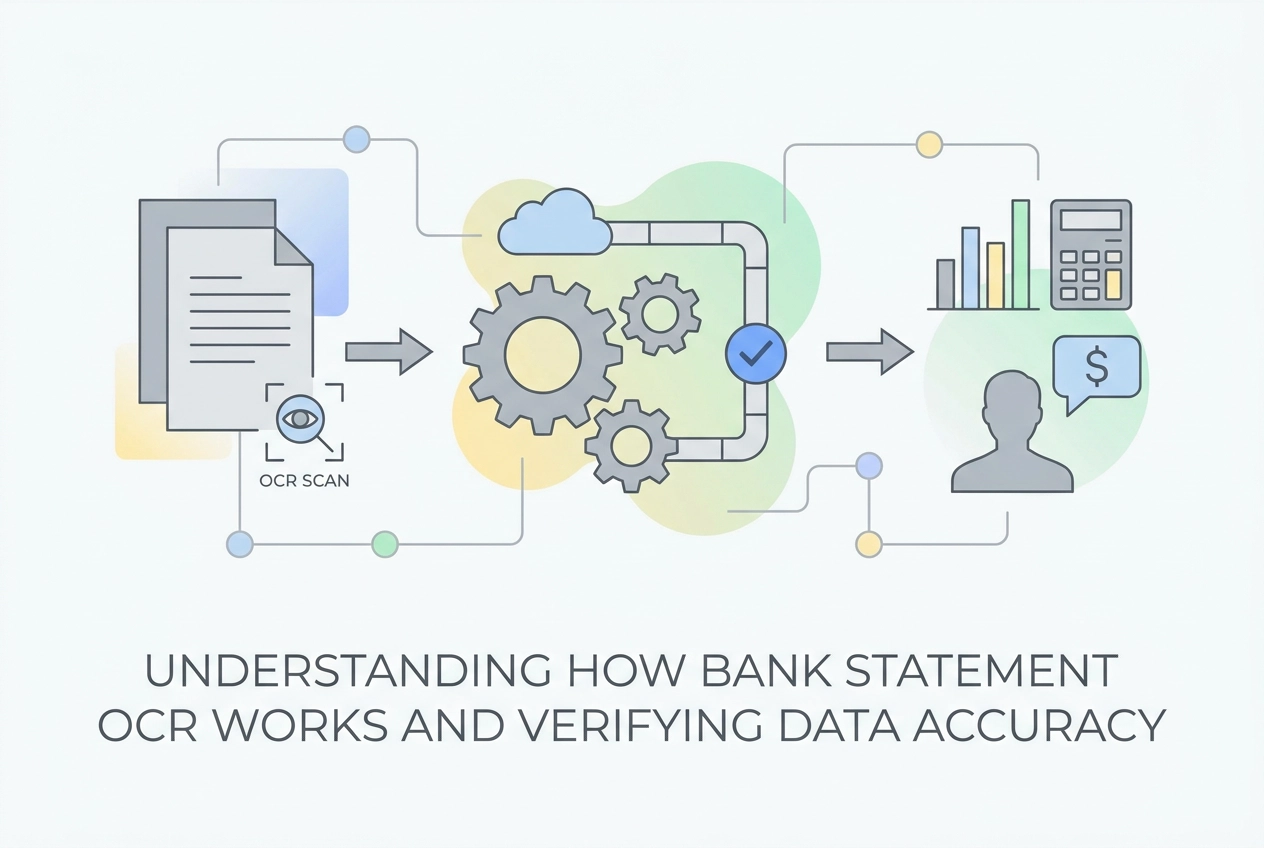
So what is actually happening when a tool converts your bank statement PDF into something a spreadsheet can read? There are four stages, and each one affects whether the final data is trustworthy.
Stage 1: Image preprocessing. Before any character is read, the software cleans the image. It corrects a tilted scan, removes background noise, and sharpens contrast so the recognition engine gets the clearest possible input. On low-resolution scans, this step alone can boost accuracy by 15 to 25 percent before a single character is identified.
Stage 2: Character recognition. The engine moves through the cleaned image and identifies individual characters. Older tools use pattern matching, essentially comparing each shape to a library of known characters. Modern AI-powered tools use neural network models trained to recognize characters across varied fonts, sizes, and print quality, which is why they handle real-world bank statements more reliably. If you want a deeper look at how this fits into the broader conversion process, What a Bank Statement Converter Actually Does covers the full pipeline in plain language.
Stage 3: Post-processing. This is where context comes in. An ambiguous symbol in the middle of a dollar amount is almost certainly the digit "0," not the letter "O." A good OCR system uses the surrounding field to resolve that call. A poor one guesses without context, which is exactly how a transaction amount gets silently corrupted.
Stage 4: Data structuring. The recognized text gets organized into rows and columns mapped to date, description, debit, credit, and balance fields. This is the stage most vulnerable to column misalignment, where a merchant name bleeds into an amount field, or a debit and credit swap positions entirely.
The reason this matters for tool selection: AI-powered bank OCR systems are trained specifically on financial document layouts, not generic text. A general-purpose tool sees a grid of characters. A purpose-built system understands that a column of numbers to the right of merchant names represents transaction amounts, and treats them accordingly. That structural awareness is what separates reliable output from a file that requires manual correction before you can trust it in a budget. For a side-by-side look at how tools perform on this dimension, the best bank statement converters compared for 2026 breaks down what actually differs between them at the output level.
Where Bank OCR Goes Wrong and How Often
Knowing how the four stages work is useful context. Knowing where they break down is what protects your budget.
That accuracy gap translates into specific, predictable failure modes. At a 2 percent error rate on a statement with 300 transactions, you get 6 corrupted entries requiring manual review. At 60 to 75 percent accuracy, the volume of errors makes automated conversion nearly unusable as a starting point for budgeting.
The Three Ways Errors Actually Enter Your Data
Character confusion is the most common failure mode. Digits like 1 and 7, or 0 and 8, look similar enough at low resolution that traditional OCR regularly swaps them. The deeper problem is context: a traditional engine reading "O" has no way to know whether it is a letter or the digit zero without understanding where it sits in a date, an amount, or a description field. AI-powered tools use positional context to resolve this; older tools guess, or get it wrong.
Column misalignment is a structural failure. When an OCR engine cannot correctly parse a multi-column layout, debit and credit amounts swap positions, or a merchant name from one row merges with the dollar amount from the row below. The resulting data looks complete but is factually scrambled, which is exactly the kind of error that distorts spending categories without raising any obvious red flag. Reviewing common reconciliation errors and how to catch them gives a useful framework for spotting these after conversion.
Low scan quality amplifies both of the above. A document scanned at low resolution introduces blur and pixelation that weakens even a well-trained recognition model. Poor input quality does not just reduce accuracy; it makes character confusion and misalignment worse simultaneously.
The Silent Error Problem
The silent error problem compounds every failure mode above. Corrupted data flows directly into your budget spreadsheet or bank statement analyzer with no warning attached. There is no asterisk, no alert, no highlighted cell. A misread amount simply sits in your totals and quietly skews every category downstream.
The 5-Point Accuracy Checklist to Run Before You Budget
Now that you know exactly where OCR errors hide, here is a simple five-step audit you can run before a single number feeds into your budget.
Check 1: Compare closing balances. Open your original bank statement PDF next to the converted file. Confirm that the opening balance, closing balance, and total debits and credits match exactly. A discrepancy anywhere in those four figures means at least one amount was corrupted during conversion. This single comparison catches the highest-impact errors in under a minute.
Check 2: Scan for digit anomalies in large amounts. Sort the converted transactions from largest to smallest and review the top 10 to 15 entries against the original PDF. A misread digit on a $2,400 rent payment, say a 7 read as a 1, distorts your budget far more than the same error on a $4 coffee. Reviewing your biggest transactions first gives you maximum coverage for minimum effort.
Check 3: Count total transaction rows. Count the transactions in the converted file and compare that number to your original statement. A lower count means rows were skipped or two transactions were merged into one, a classic column-alignment failure. Even one missing transaction quietly understates a spending category for the entire month.
Check 4: Validate date format consistency. Scan the date column and confirm every entry follows the same format throughout (MM/DD/YYYY is standard in the US). Mixed formats or impossible dates like 13/32 signal a parsing failure. When a date field breaks, the fields beside it in the same row often carry errors too, so one bad date is a reason to inspect the whole row.
Check 5: Spot-check merchant names. Pick 10 to 15 transactions at random and compare the merchant names in the converted file to the original PDF. Garbled output like "W0LMART" instead of "WALMART," where the letter O becomes a zero, indicates character recognition failures. Field-level errors matter more than raw character counts, because one bad field corrupts a whole transaction row, amounts included.
These five checks are also a natural complement to the guidance in what to look for in your statement before you start budgeting, which covers the manual review habits worth building alongside any automated tool.
All five checks together take only a few minutes on a typical monthly statement. That is considerably less time than untangling a month of miscategorized spending after the fact.
If your conversion tool fails two or more of these checks on a consistent basis, patching the output manually each month is not a sustainable fix. It is a signal to switch to a platform with higher OCR accuracy, not a workflow adjustment.
What to Look For in a Bank Statement Analyzer
If the checklist revealed problems with your current tool, that's your cue to look for a better one. Not all bank statement analyzers are built the same way, and the differences matter more than most people expect.
Specialization beats general-purpose tools. Because specialized tools understand financial table structure (as covered above), they surface a far smaller spot-check list. At those rates, the number of entries requiring manual review drops dramatically compared to lower-accuracy tools. That's a manageable spot-check, not a full re-entry job.
Confidence signals matter. The best tools don't silently pass every output field downstream as if it were certain. They flag low-confidence characters or uncertain fields so you can review them before they land in your budget. If a tool gives you no indication of where it struggled, you're back to the guessing game the checklist was designed to prevent.
Format flexibility removes friction. A capable bank statement converter should accept PDF, CSV, XLS, and OFX files without requiring you to pre-convert anything. That covers both digital-native exports from your bank's portal and scanned paper statements from older accounts, all in one upload.
Security is non-negotiable. You're uploading real financial data, so verify that the tool uses encryption during processing and does not store your statement after conversion is complete. Read the privacy policy before uploading anything.
StatementToBudget.com combines AI-driven bank statement OCR with automatic transaction extraction and spending categorization. Upload a PDF or scanned file and it surfaces budget insights directly, no manual data entry required, and no cost to get started.
Accuracy First, Budgeting Second
The right tool removes most of the risk before you even open a spreadsheet. But no tool, however accurate, makes the 5-point checklist irrelevant, it just makes it faster.
That gap between 60% and 98% OCR accuracy is not an abstract technical stat. It is the difference between a budget you can act on and one that quietly points you in the wrong direction. Silent errors are the core risk -- they were covered in detail above.
The five checks outlined earlier close that gap before a single number enters your budget. Run them once before you start budgeting, and you are catching conversion problems at the only moment it costs you nothing to fix them.
If you are still evaluating which tool fits your situation, this review of bank statement converters built for personal budgeters covers what actually matters when your goal is a monthly budget rather than an accountant's ledger.
The core principle stays the same regardless of which tool you use: verify first, budget second. OCR makes the conversion fast. The audit makes the output trustworthy. Both steps together are what turn a scanned PDF into a financial picture you can genuinely rely on.
Conclusion
Bank statement OCR has made financial data extraction faster than ever, but speed without accuracy is just a faster way to build a flawed budget.
Bank statement OCR makes conversion fast; the accuracy audit makes the output trustworthy. Verify first, budget second.