How to Use ChatGPT and Your Bank Statement to Build a Budget
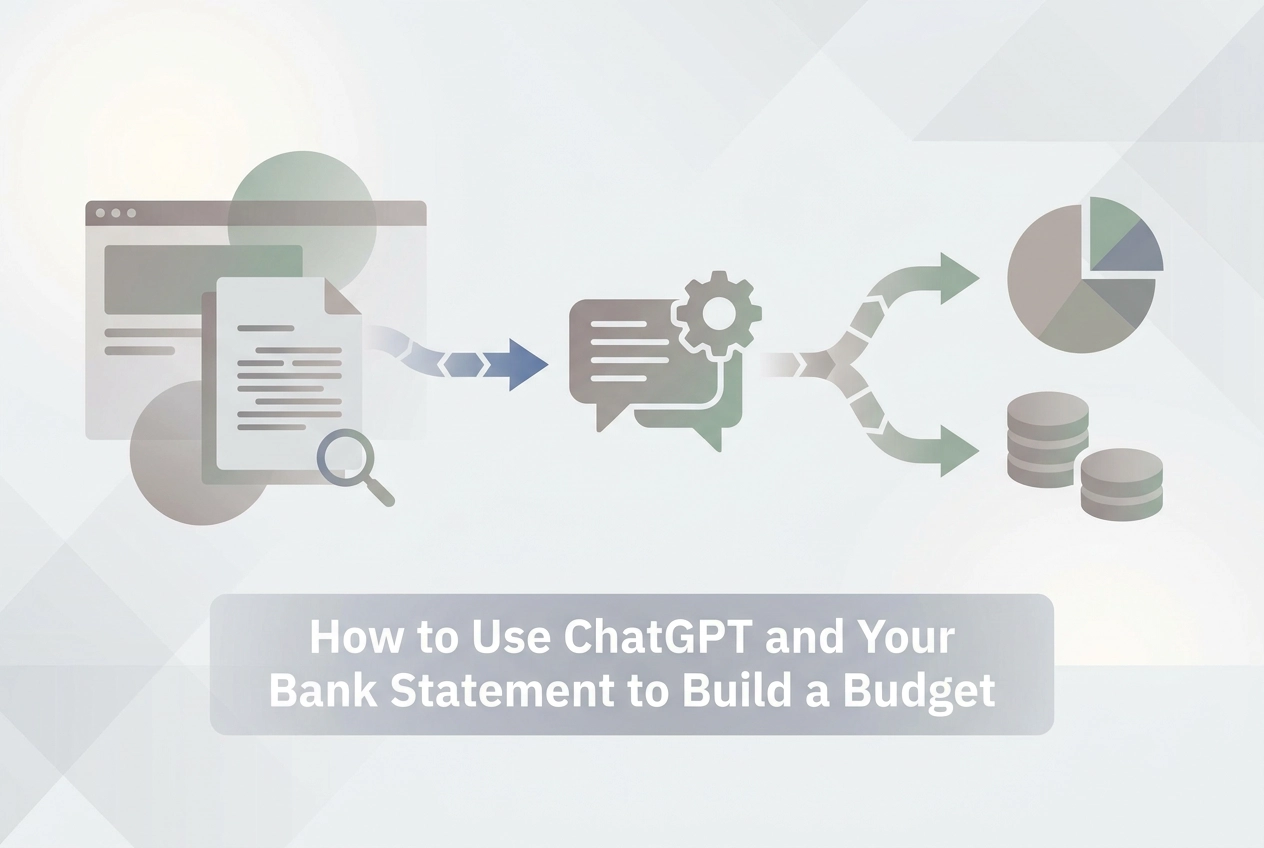
Learn the exact workflow to convert your bank statement to CSV and use ChatGPT as a personal budget tool — with prompts, tips, and safety guardrails.
Most of us know we should have a budget. Actually building one is a different story. If you've ever stared at a pile of bank statements and had no idea where to start, you're not alone. More than 200 million people ask ChatGPT financial questions every month, and a lot of them are looking for exactly this kind of help.
Here's the thing though: you can't just hand ChatGPT your bank statement and expect magic. It can't read a PDF, and it definitely can't log into your account. But give it clean, structured data in the right format, and a ChatGPT budget becomes genuinely useful, fast.
In this guide, you'll learn the exact workflow that makes this possible. We'll cover how to convert your bank statement into a CSV file, how to prepare that data for ChatGPT, and the specific prompts that turn raw numbers into a clear, categorised budget. You'll also learn what ChatGPT shouldn't handle when it comes to your money. By the end, you'll have everything you need to build your first AI-assisted budget today.
Why ChatGPT Is Actually Useful for Personal Budgeting
Over 200 million people ask ChatGPT financial questions every month, but most do it without any structured workflow. They ask vague questions and get generic answers. The missing piece is a reliable process for feeding it useful data.
ChatGPT's real strength is pattern recognition and categorization, not calculation. Give it clean, structured transaction data and it sorts a messy list into meaningful spending groups immediately.
One real-world example makes this concrete: a user identified $329 per month in overlapping fitness memberships simply by giving ChatGPT organized transaction data to reason over. No spreadsheet expertise required. The AI spotted what a quick scroll through a bank app would miss. This is the kind of clarity that AI is increasingly delivering for everyday personal finance users.
The impact extends beyond individual cases. Research shows 64% of consumers using AI for finances report an improved ability to evaluate their financial products. For beginners especially, that shift in awareness matters.
The important caveat: ChatGPT is a reasoning layer, not a budgeting app. It can categorize spending and surface patterns, but it cannot enforce a budget or track progress automatically. For that, you need a separate workflow, which is exactly what the rest of this guide covers. Understanding where ChatGPT fits alongside dedicated budgeting tools makes the whole system work.

What You Need Before You Start
Before you run any prompts, gather these five things:
1. A bank statement you can download. Log into your online banking portal and export your transaction history. Most U.S. banks let you pull 1 to 3 months of transactions in PDF, CSV, XLS, or OFX format, look under "Statements," "Transaction History," or "Download Activity."
2. A way to convert that statement to a clean CSV. If your bank exports a CSV directly, great. If your statement is a PDF (the most common format), you need a proper conversion tool before anything else. This is the step most guides skip entirely, and it's where errors typically sneak in. Pasting raw PDF text into a spreadsheet scrambles dates and amounts more often than not. Understanding how your transaction data actually becomes a budget makes it clear why clean, structured input is the foundation everything else rests on.
3. A free ChatGPT account. The workflow described throughout this guide runs on the free tier. You do not need the Finances in ChatGPT feature launched in May 2026 for Pro subscribers.
4. A rough mental map of your spending categories. Think groceries, rent, subscriptions, transport, eating out. You don't need a formal list; you just need enough familiarity to spot if ChatGPT miscategorizes something obvious.
5. A privacy habit. Before pasting any data into a third-party AI tool, remove your account number, full card number, and full name. Replace them with a simple placeholder like "Personal Checking." It takes thirty seconds.
Step 1: Convert Your Bank Statement to CSV
With your statement downloaded, the next move is making sure it's in a format ChatGPT can actually work with.
If your bank already exports CSV, grab it directly from your online portal under transaction history or account statements. You're ready to move on.
If your statement is a PDF (which is most people's situation), don't try to copy-paste it into a spreadsheet. PDF columns rarely transfer cleanly; dates merge with descriptions, amounts lose their signs, and what looks fine on screen becomes garbled data that produces unreliable categorization. You need an OCR-based converter to extract the rows properly.
StatementToBudget.com accepts PDF, CSV, XLS, and OFX formats and outputs a structured CSV with consistent column headers. That consistency is what makes the rest of the workflow predictable. If you want a broader comparison of your options first, this guide to bank statement converters reviewed for personal budgeters is worth a quick read before you commit to a tool.
Before you move to the next step, check your CSV:
Every row should have a date, a description, and an amount
No merged columns or blank fields
Missing data here is the most common reason ChatGPT produces poor categorization later
On transaction volume: aim for at least 30 days of history. A full month gives ChatGPT enough spending patterns to group transactions into meaningful categories. Fewer transactions and the output gets too thin to be useful.
Step 2: Prepare Your Data for ChatGPT
Once your CSV is ready, spend two minutes cleaning it up before you paste anything into ChatGPT. That small effort makes a real difference in the quality of output you get back.
Strip out identifying details first. Delete your account number, sort code, and full name from the header row. Replace them with a simple placeholder like "Account: Personal Checking." You keep enough context for ChatGPT to understand what it's looking at, without pasting sensitive information into a third-party tool.
Trim the columns down to three. Keep only Date, Description, and Amount. If your CSV includes a running balance column, transaction type codes, or reference numbers, delete them. Extra columns add noise that pulls ChatGPT's attention away from what actually matters for categorisation.
Stick to one month at a time. A typical monthly statement runs 50 to 150 rows, which sits comfortably within ChatGPT's working limits. Pasting two or three months of raw data together strains that window and tends to produce messier output. One clean month works better than three sloppy ones.
If you have multiple accounts, keep them separate. Run each statement through ChatGPT individually, then combine the category summaries yourself. Mixing raw data from different accounts in a single paste creates confusion in the output. For more on what to do with your data once it's converted, What to Do With Your Converted Bank Statement Data walks through the next steps clearly.
A tidy paste takes less time than making a coffee and produces noticeably sharper categorisation.
Step 3: The Exact Prompt to Build Your Budget with ChatGPT
With your data cleaned and ready, the prompt you use next determines everything.
Typing "make me a budget" into ChatGPT produces something generic. A structured prompt with explicit instructions produces an actionable spending breakdown you can actually use.
Copy and paste this prompt, then add your CSV data directly underneath it:
"Below is one month of personal bank transactions in CSV format. Please categorise each transaction into one of these groups: Housing, Groceries, Eating Out, Transport, Subscriptions, Health, Entertainment, Shopping, Income, and Other. Then produce a summary table showing total spend per category and the percentage of total outgoings each represents. Flag any transactions you could not confidently categorise rather than guessing. Do not provide tax, legal, or retirement contribution advice."
A few things in that prompt are doing real work:
The category list stops ChatGPT from inventing its own labels, keeping output consistent and easy to verify
The summary table instruction gives you a percentage breakdown, not just raw totals
The "flag uncertain transactions" line surfaces edge cases rather than silently wrong categorisation buried in the output
The tax and legal disclaimer steers ChatGPT away from hallucination territory where documented errors have caused real financial harm
Once ChatGPT returns the initial summary, run this follow-up prompt:
"List any recurring charges that appear more than once and calculate their combined monthly cost."
This is the subscription audit. In real-world use, this step has surfaced things like $329 per month in overlapping fitness memberships that went unnoticed for months. For a full picture of how the conversion-to-budget process fits together, see how it works.
Step 4: How to Read and Verify the Budget ChatGPT Produces
Once ChatGPT returns its output, resist the urge to scroll straight to the transaction list. Start with the category totals table. That summary is where the real insight lives: does your spending distribution match what you assumed? Most people are surprised to find Eating Out rivals Groceries, or that Subscriptions quietly claim 15% of their monthly outgoings.
From there, do a quick manual spot-check. Pick one category like Groceries, find the specific transactions ChatGPT assigned to it, and compare them against your original CSV. This takes under five minutes and will immediately reveal whether ChatGPT is categorizing systematically or just guessing.
Watch for these common misclassifications:
Pharmacy purchases filed under Health rather than Shopping
Work expense reimbursements inflating your Income total
Amazon charges split across multiple categories with no consistent logic
These patterns are predictable, which means they are easy to catch once you know to look.
It helps to keep the right expectation here. OpenAI's own personal finance benchmark scored ChatGPT at 79/100, with documented hallucinations in the output. That is a strong first draft, not a finished report. Treat it accordingly: review before you trust, and correct anything that looks off.
Once you are satisfied the categories are accurate, copy the summary table into a spreadsheet or notes app. That becomes your month-one baseline, the reference point every future month gets compared against.
What You Should Never Ask ChatGPT to Do with Your Finances
Knowing the limits of ChatGPT is just as important as knowing how to use it well. Here is where the guardrails matter most.
Never ask ChatGPT for tax advice. That means no questions about 401(k) contribution limits, IRA rules, or what you can deduct. In 2026, one user received incorrect IRA contribution limit guidance from ChatGPT and ended up with $360 in tax penalties as a result. The model sounds confident even when it is wrong.
Never let it make decisions for you. ChatGPT can flag a subscription as redundant, but canceling a direct debit or shifting money into an investment account based on its output alone is a mistake. Use its analysis as a prompt to investigate, not as an instruction to act.
Do not skip month-one verification before running trend analysis. If your baseline categorization has errors, pasting three months of unreviewed data just multiplies them. Verify month one manually first, as covered in the previous step, before asking ChatGPT to compare months.
Do not treat its output as compliance-grade. For tax preparation or any regulatory purpose, you need purpose-built tools with transaction-to-source linking and a full audit trail. ChatGPT conversations leave no auditable record. You can explore how the three types of bank feed apps in 2026 differ on exactly this point.
The clearest way to think about it: ChatGPT is strong at anomaly detection, subscription audits, and building spending awareness. It is weak at tax advice, trading signals, and anything requiring verified numerical accuracy.
ChatGPT's Built-In Finance Feature vs. the Manual CSV Workflow
If those limitations give you pause, it helps to know how the newer built-in option compares to the manual workflow you just followed.
OpenAI launched Finances in ChatGPT on May 15, 2026 for US Pro subscribers, connecting to 12,000+ financial institutions via Plaid. It expanded to the Plus tier on June 25, 2026. The convenience is real: link your accounts and your transactions pull in automatically.
The tradeoff is privacy. With the native feature, OpenAI holds your connected account data, and currently offers only chat-by-chat deletion. There is no bulk removal option for linked account data. The manual CSV workflow sidesteps this entirely. When you paste a sanitized snippet of transactions into a chat session, your raw data never touches OpenAI's servers in a persistent way. It exists only within that conversation.
There is also a functionality gap worth noting. Even with direct account linking, the built-in feature does not include a budgeting enforcement module. You still need separate tools to set spending limits and measure progress against a plan, just as you do with the manual approach.
Finally, availability matters. Finances in ChatGPT is currently US-only, and requires a paid subscription. If you are outside the US, or on the free ChatGPT tier, the manual CSV workflow described in this guide is your only option. That makes it the more universally accessible approach, regardless of where you are or which plan you use.
Start Your First AI Budget Today
Whichever approach you choose, the core workflow stays the same and takes under an hour to complete.
Three steps make it work: upload your statement to StatementToBudget.com to get a clean, structured CSV; paste a sanitized version into ChatGPT with a structured prompt; verify the category output before treating it as your baseline budget. That's the whole system.
No spreadsheet skills, no financial software, and no paid ChatGPT subscription required. If you have a bank account and an internet connection, you can do this today.
A few rules worth keeping front of mind as you build the habit:
Always verify ChatGPT's output against your raw data. It's a strong first draft, not a finished report.
Never use it for tax, legal, or retirement contribution decisions. Documented errors in those areas have cost real people real money.
Run the subscription audit follow-up prompt every single month. Recurring charges are where most people find savings fastest, often without changing any meaningful spending behavior.
Your first budget does not need to be perfect. A single categorized month of spending, reviewed and spot-checked, gives you more genuine financial clarity than most people ever get around to building. The goal isn't a flawless spreadsheet; it's an honest picture of where your money actually goes.
Start with one statement. One month. One hour.
Conclusion
Budgeting does not require expensive software, financial expertise, or hours of frustrating spreadsheet work. With a clean CSV from your bank statement, a structured prompt, and a few minutes inside ChatGPT, you can build a working budget today.
The key takeaways are simple: convert your statement to a usable format, sanitize your data before sharing it, verify every category ChatGPT produces, and never rely on it for tax or legal decisions. These guardrails are what turn a useful tool into a trustworthy habit.
The real value here is clarity. Knowing where your money goes is the foundation of every meaningful financial decision you will ever make. That clarity is now more accessible than it has ever been.
Download your statement, run the workflow, and see your spending clearly for the first time. One month is all it takes to get started.