What an AI Budget Planner Actually Does With Your Statement Data
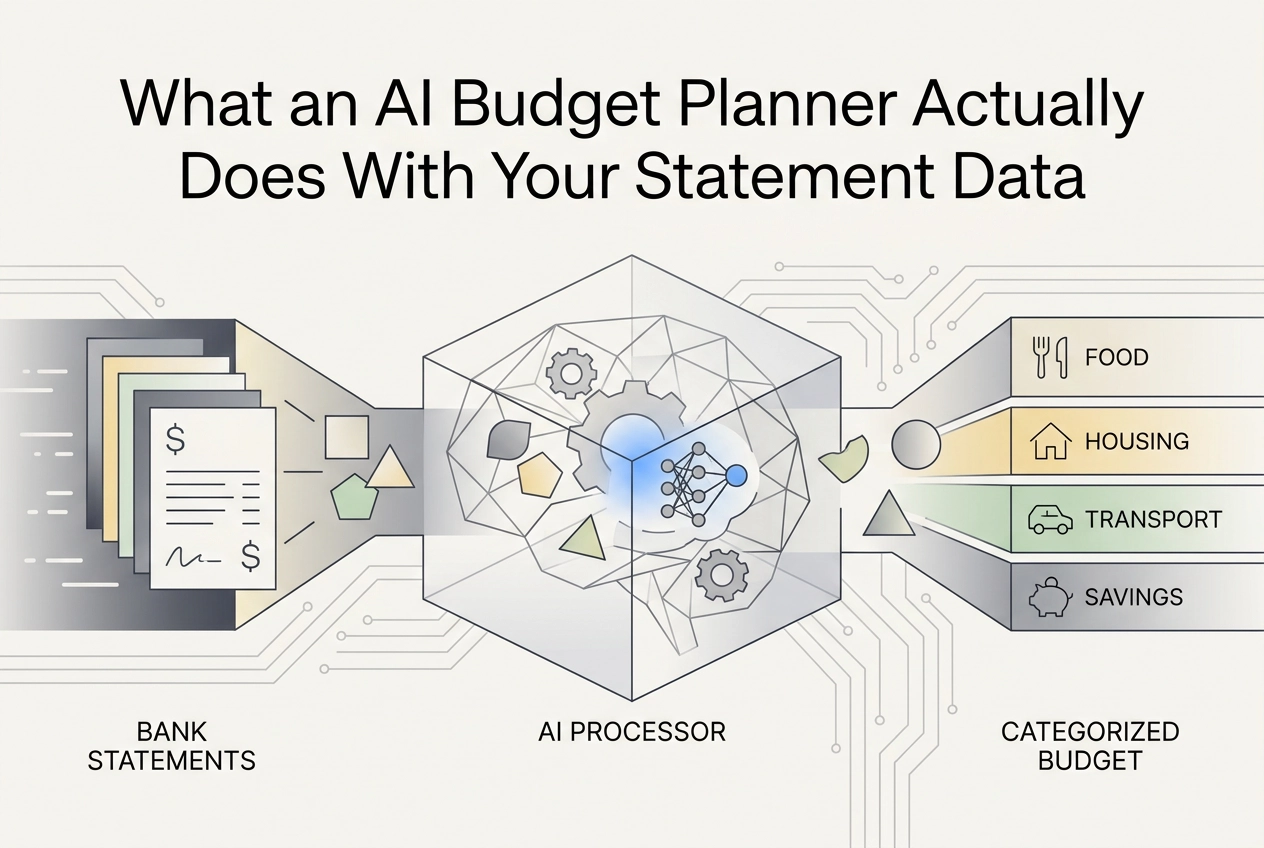
Learn exactly how an AI budget planner reads, parses, and categorises your statement data -- so you can catch errors and trust the output.
You upload your bank statement, wait a few seconds, and suddenly you're looking at a colour-coded budget breakdown that seems to know exactly where your money went. It feels like magic. But a good budget planner AI isn't guessing, and it's definitely not magic. It's running your data through a series of very deliberate steps, and once you understand those steps, you'll know exactly when to trust the output and when to push back on it.
This post walks you through the whole process in plain English. We'll start with how the AI actually reads your statement, then cover how it tidies up messy merchant names, figures out which category a transaction belongs to, and signals how confident it is in that decision. We'll also look at where things go wrong, what the AI simply cannot figure out from a statement alone, and what those accuracy percentages in the marketing materials actually mean.
By the end, you won't just be a passive user handing over your data and hoping for the best. You'll understand the pipeline well enough to catch errors, correct them, and get a budget you can actually rely on.
Step 1: Reading Your Statement (OCR and Parsing)
When you upload a PDF bank statement to an AI budget app, the first job is not analysis. It is reading.
PDF statements are essentially images of documents. Before any AI can make sense of your spending, Optical Character Recognition (OCR) must scan the file and convert what it sees into machine-readable text, character by character. Modern OCR achieves strong accuracy on printed documents, but bank statements present particular challenges: tables that stretch across multiple pages, repeated column headers, balance summaries, and promotional footers all appear alongside the transaction rows the parser actually needs.
Uploading a CSV, XLS, or OFX file skips the OCR stage entirely because the data is already structured. Even so, a parsing pass is still required to identify which field represents the date, which holds the amount, and which contains the transaction description.
Once raw text is extracted, the parser isolates transaction rows and discards everything else: running balances, account numbers, marketing copy. You can learn more on the bank statement OCR frequently asked questions page.
The output of this stage is deliberately minimal. Every transaction gets tagged with three fields: a date, an amount (positive for credits, negative for debits), and a raw description string. Those three fields are the foundation for every insight that follows.
StatementToBudget.com accepts PDF, CSV, XLS, and OFX uploads because statements arrive in all of these formats. The parsing layer normalises each into a consistent transaction record before the AI begins its analysis.
Step 2: Cleaning Up Merchant Names
Once the parser has extracted your raw transaction data, the AI hits an immediate problem: the description field was never designed to be human-readable, let alone machine-readable.
Consider what actually appears in that field. A contactless coffee purchase might show up as SQ *BLUEBIRD CAFE 04/12. An online order becomes AMZN MKTP US*2K4LD. A supermarket trip reads POS PURCHASE VISA 0042 WHOLEFDS MKT. None of these strings mean anything useful until decoded.
Merchant name normalisation handles this decoding. The AI strips payment processor prefixes like SQ*, PAYPAL*, or STRIPE*, removes transaction IDs and date codes, then matches what remains against a merchant lookup database that maps abbreviated strings to real merchant identities and spending categories.
The quality of that database matters enormously. Recognising WHOLEFDS MKT as Whole Foods (groceries) rather than leaving it unresolved is the difference between a useful budget and a list of noise. You can learn more about what useful budget data looks like in this guide on how to read a bank statement and build a budget from it.
Normalisation also handles merchant aliases. The same coffee shop can appear as BLUEBIRD CAFE, BLUEBIRD COFFEE LLC, or BLUEBIRD C depending on which terminal processed the payment. A well-built system learns these are the same entity.
Get this step wrong and every downstream decision suffers. A misidentified merchant almost always produces a wrong category, regardless of how sophisticated the categorisation model is. Clean input is the foundation of everything that follows.
Step 3: How the AI Actually Decides on a Category
Once the merchant name is clean, machine learning takes over.
The model evaluates four inputs simultaneously: the cleaned merchant name, the transaction amount, the date, and sometimes the time of day, then assigns a spending category such as groceries, dining, transport, or utilities.
Merchant name carries the most weight. A recognised supermarket maps to groceries almost automatically. But amount and timing add supporting signals. An odd-penny amount like £14.73 suggests a tip-inclusive restaurant bill; a round £50.00 is more likely a direct debit or transfer. Neither signal is decisive alone, but combined they sharpen the prediction.
The models doing this work are typically tree-based algorithms, such as Random Forest or XGBoost, trained on millions of labelled transactions. Comparative studies confirm these ensemble methods consistently outperform alternatives on financial transaction data. Some tools also apply Natural Language Processing (NLP), letting the model interpret meaning from longer or messier description strings rather than relying on exact matches.
The critical limitation: a model is only as good as its training data. A budget planner AI built primarily on US transaction data may misread merchant names common in the UK or elsewhere. When you are reading and interpreting your own transaction data, it is worth knowing whether the tool behind your budget was trained on data that reflects your market.
Step 4: Confidence Scores and When to Trust the Output
So the model has assigned every transaction a category. But how certain is it, really?
Most AI systems attach a confidence score to each classification, a number between 0 and 1. A score near 1.0 means the model is highly confident; a score near 0.5 means it is barely better than a coin flip. Research into how machine learning systems quantify uncertainty confirms that even well-trained models can be wrong, and that transparency about uncertainty separates honest outputs from overconfident ones.
Low confidence usually comes from three sources:
Ambiguous merchant names. "APEX SOLUTIONS" could be software, a tradesperson, or a cleaning company.
Unfamiliar transaction strings that do not closely match anything in the training data.
Amounts that seem out of range for the assigned category, for example a £4.50 charge filed under utilities.
Not every AI budget planner surfaces these scores. Some show only the final category, with no indication of model confidence. Tools that flag uncertain transactions for manual review are more honest, and more useful, than those that silently assign every transaction without qualification.
A practical tell: any transaction labelled "uncategorised" or dropped into a catch-all "other" category almost always means confidence fell below the model's threshold for a firm assignment. These deserve your attention first.
Understanding this lets you use AI-powered budgeting far more effectively: rather than reviewing every line, focus only on what the AI flagged as uncertain.
Step 5: Where It Goes Wrong and How to Fix It
Even when the AI flags low-confidence transactions for review, some miscategorisations will slip through. That is completely normal, not a sign that the tool is broken.
The most common culprit is multi-purpose retailers. An Amazon charge could be groceries, electronics, clothing, or office supplies; the model has no way to tell from the merchant name alone. Seasonal context creates similar problems: a purchase at a garden centre in April is almost certainly compost or bedding plants, but the same merchant in December is more likely a Christmas tree or festive wreath. If you are tracking discretionary versus household spend, that distinction matters.
Corrections are more valuable than they look. When you reassign a miscategorised transaction to the right category, you are feeding labelled data back into the process. In systems that incorporate user feedback, your correction directly improves future accuracy for similar transactions. Even where corrections do not update the underlying model, fixing a recurring merchant consistently builds a user-level rule: every future transaction from that merchant inherits the corrected category automatically, so the effort pays forward.
For a practical starting point with reconciling your transactions and catching quiet errors in your budget, the most efficient approach after your first import is to sort transactions by category and scan for outliers. A restaurant spend filed under healthcare, or a streaming subscription sitting in groceries, will jump out immediately and takes seconds to fix. Reviewing line by line is rarely necessary.
What the AI Cannot Know From a Statement Alone
Miscategorisation happens for reasons the AI can fix with better training. But some gaps are structural, and worth understanding separately.
A bank statement records what was spent and where, never why. A £180 Amazon charge could be a birthday present, a business supply, or a monthly household staple. From a statement description alone, no AI budget app can tell the difference.
Statement-only analysis has inherent limits; richer context -- the kind most personal budgeting tools cannot access -- would improve accuracy on ambiguous transactions. For most personal budgeting tools, that richer context simply is not available.
Accuracy naturally varies with merchant clarity, as discussed above. That is not a weakness of any particular tool; it is a structural property of statement-based analysis.
Honest tools surface this honestly. Rather than silently assigning a low-confidence category, they flag ambiguous transactions for your attention. When choosing the best AI budgeting tool for your needs, test how it handles unclear transactions, not just obvious ones. Making your bank statement work for you starts with understanding what the data can and cannot tell an AI.
StatementToBudget.com is built around this principle: the analysis is as thorough as the statement allows, and the results are always visible so you can verify and correct them yourself.
What AI Categorisation Accuracy Claims Actually Mean
High accuracy figures appear in a lot of AI budget tool marketing. They sound reassuring, but it is worth knowing what they actually measure before you trust your financial picture to them.
Accuracy figures are typically calculated on benchmark datasets: large collections of clean, well-labelled transactions, often weighted toward the most common transaction types such as supermarket shops, utility direct debits, and high-street retailers. These are exactly the transactions an AI handles well anyway. Performance on ambiguous, niche, or unfamiliar merchant names rarely gets reported separately, because those numbers are less flattering.
The more useful question is not "what is the average accuracy?" but "how accurate is it on my transactions?" A tool that correctly categorises 99 routine transactions but consistently misfiles your most significant irregular purchases is not 99% useful to you. The transactions that matter most to your budget are often the ones least likely to appear in a benchmark dataset.
Independent comparisons of personal finance categorisation tools are genuinely scarce. If you are deciding which AI budget app is right for your personal budgeting needs, look past the headline figure. The more informative signal is whether a tool openly describes where it struggles: multi-purpose merchants, international transactions, or situations where business and personal spending overlap.
A tool that acknowledges its harder cases is more credible than one that simply claims a high headline number. Transparency about limitations is a sign the developers have thought seriously about accuracy rather than just how to report it.
Your Data and Privacy: What Happens to Your Statement

Transparency about categorisation is only half the trust equation. The other half is what happens to your bank statement once the analysis is done.
Your statement contains some of the most sensitive personal data you hold: your bank account number, your spending habits, your salary, your regular payees. Before uploading it to any AI budget planner, it is worth asking four specific questions:
Is the statement stored after processing, or deleted immediately? Data protection principles require that personal data is kept no longer than necessary for its stated purpose.
Is it used to train the AI model? If so, is it properly anonymised first? Anonymised data falls outside GDPR scope; pseudo-anonymised data may not.
What encryption protects the file in transit and at rest? Appropriate technical measures, including encryption, are the baseline expectation under data protection law.
Does the platform comply with GDPR or other relevant data protection regulations? If it cannot state its lawful basis for processing, that is a compliance gap, not just a policy gap.
StatementToBudget.com does not require a live bank feed or open banking authorisation. Your login credentials are never shared with the platform. You upload a historical statement you choose to share, the analysis runs, and there is no ongoing access to your account afterwards. That is a meaningful privacy-by-design distinction.
If any platform is vague about data retention or processing practices, treat that vagueness as a red flag, regardless of how polished the categorisation output looks.
Understanding the Pipeline Makes You a Better Budgeter
Now that you understand the data and privacy side, here is the bigger picture worth taking away.
Each stage of the pipeline -- OCR, parsing, normalisation, ML categorisation -- does its job transparently. Nothing mysterious happens at any stage.
In practice that means reviewing uncertain items first, correcting at merchant level, and treating category totals as good estimates rather than certainties.
As the accuracy section established, transparency and user control matter more than any headline figure.
StatementToBudget.com is built around exactly that principle: transparent extraction and full user control. Upload your statement, review what the AI extracted, and refine the output until it genuinely reflects your spending. No live bank connection, no opaque black box, no cost.
Start with one statement. The pipeline does the heavy lifting, and now you know precisely how each stage works.
Conclusion
AI budget planners are powerful tools, but they work best when you understand what is happening under the hood. The pipeline, the accuracy caveats, and the privacy questions are all now part of your toolkit.
StatementToBudget.com puts these principles into practice: transparent extraction and full user control. Upload your first statement today and experience a budgeting process that is honest about what AI can and cannot do.