What to Do With Your Bank Statement After Converting It: A Budget-First Workflow
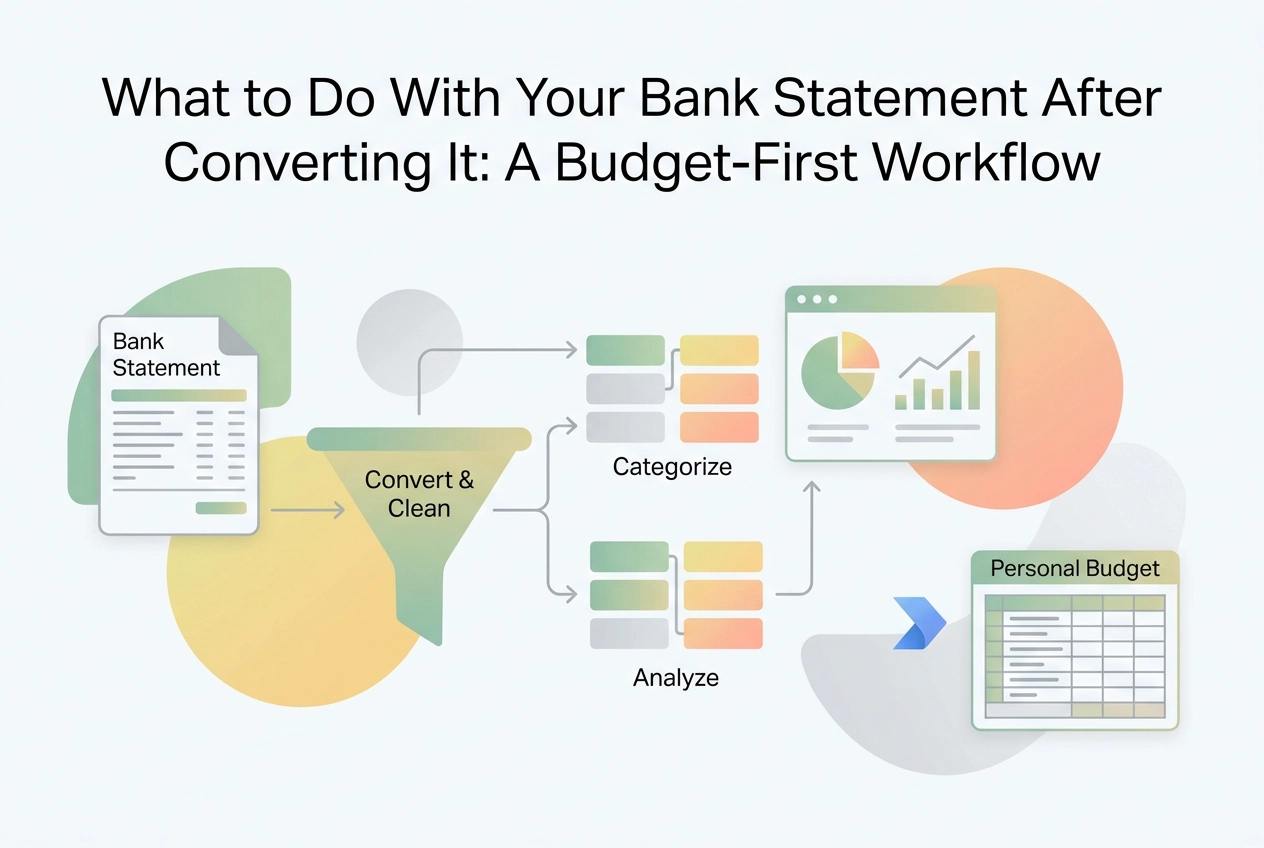
Downloaded your CSV but not sure what to do next? Follow this budget-first workflow to turn converted bank statement data into a real spending plan.
You finally converted your bank statement into a usable file. Maybe you used a bank statement analyzer, maybe you followed a tutorial, and now you have a tidy CSV sitting in your downloads folder. So... now what?
Here's the thing most guides won't tell you: downloading the file is the easy part. The real work, and honestly the rewarding part, starts right after. That spreadsheet full of transactions is just raw data until you do something with it. Without a clear next step, most people open the file, feel mildly overwhelmed, and close it again.
This post is for anyone who has been there. We're going to walk through exactly what happens after the conversion, step by step, in plain language. You'll learn how to clean up messy transaction data, sort your spending into categories that actually make sense, separate your fixed bills from your flexible spending, and set realistic limits going forward. We'll also cover how to build a simple review habit so your budget doesn't quietly fall apart after week two.
Consider this your post-conversion playbook.
Why Most Conversion Guides Stop Too Soon
Most guides for converting a bank statement to CSV or Excel end the same way: "Your file is ready to download." That's where they stop. You're left with a spreadsheet full of transactions and no clear instruction on what to do next.
Here's the problem with that: a spreadsheet of transactions is a log, not a budget. Logging tells you what already happened. Budgeting tells you what happens next. Most people lose momentum in exactly that gap, because raw data doesn't make decisions on its own.
Users tend to engage with their finances during the initial analysis phase, then drift. Without a structured next step, the spreadsheet sits open for a few days and eventually gets ignored. The conversion was never the hard part; the follow-through is.
It's also worth noting that much auto-categorization content online is built for small business bookkeeping rather than personal finance, organized around expense codes, tax deductibility, and account reconciliation. None of that translates to someone trying to figure out why they overspent on groceries last month. The mental model is completely different, and borrowing a business framework for a personal budget creates friction that accelerates abandonment.
This is the gap every other tool ignores: what happens after conversion. This workflow picks up exactly where those guides stop. You have the data. The following steps show you what to do with it.
What You Need Before You Start
Before diving into the workflow, make sure you have these four things in place.
A structured file with the right columns. Your converted statement needs at minimum three columns: date, merchant or description, and amount. CSV, XLS, and OFX formats all work. If your export is missing any of those three columns, the categorization steps ahead won't function properly.
A tool to work in. A basic spreadsheet app works fine for beginners. A dedicated budget planner adds structure. If you want conversion and categorization handled together in one place, an AI-powered platform like StatementToBudget.com does both automatically. If you're still deciding on a tool, this breakdown of bank statement converters reviewed for personal budgeters covers what actually matters when your goal is a personal budget rather than accounting.
At least one full month of transactions. One month establishes baseline patterns. Two to three months is more reliable for spotting recurring charges and separating irregular spending from everyday habits.
A quick note on privacy. CSV and XLS files are plain text, meaning anyone with access to your device can read them. Store them somewhere secure and delete them once your budget is built. If you're uploading a PDF to a bank statement analyzer that uses OCR, only use a platform that explicitly does not retain your files after processing.
No accounting knowledge required. This workflow uses plain-language spending categories, not business expense codes.
Step 1: Clean Up Your Transaction Data
With your data ready to go, the first thing you'll notice is that raw bank statement exports are messy. Before you can make any useful budget decisions, the data needs a quick cleanup pass.
Normalize merchant names. Banks truncate and code transaction descriptions in ways that are nearly unreadable. The same coffee shop can appear under several different coded labels in a single month. Rename each entry to something you actually recognize, like the shop name or a simple label like "Coffee." This makes every later step faster and clearer.
Separate one-time anomalies. A security deposit, an ER bill, or a holiday gift purchase does not reflect your typical spending. Leave those entries in your file for reference, but move them to a separate column or flag them so they don't pull your monthly averages out of shape.
Check for duplicates. If your statements overlap by a few days, or if you transferred money between your own accounts, those transactions may appear twice. Before you do anything with these numbers, review your statement against what to look for in your statement before you start budgeting to make sure nothing is double-counted.
This step is tedious, but the accuracy of every budget decision you make downstream depends entirely on clean inputs. If you'd rather skip the manual work, an AI-powered tool like StatementToBudget.com handles transaction cleanup and categorization automatically during the conversion process.
Step 2: Categorise Your Spending Into Meaningful Groups
With your transactions cleaned up, the next move is sorting them into spending groups you'll actually use.
Keep your categories broad and personal. A good starting set covers housing, transport, food, subscriptions, health, entertainment, and savings. That's it. You don't need a category for every merchant type; you need categories that reflect how you actually live and spend. Understanding how to read, categorize, and budget from your bank statement makes this step much easier if you're new to the process.
If you're categorizing manually, assign each cleaned transaction to one of your groups, then add up the monthly total for each. Those totals become the raw input for your personal budget in the steps ahead.
If you're using an AI categorization tool or bank statement analyzer, it will assign categories automatically, which saves real time. Always review the output before trusting it. Auto-categorization reads merchant names, and merchant names are often cryptic. A quick scan catches misreads before they distort your numbers.
One important rule: resist the urge to over-categorize. Ten categories you'll actually track every month beat thirty you'll quietly abandon by week two. Behavioral research confirms that budgets genuinely change spending behavior over time, but only when you stay engaged with them.
If you're using StatementToBudget.com, the AI-driven spending analysis produces category totals automatically, skipping the manual grouping work entirely.
Step 3: Separate Fixed Expenses From Variable Ones
Once your spending is grouped into categories, the next move is sorting those categories into two distinct buckets: fixed and variable.
Fixed expenses recur at the same amount on a predictable schedule. Rent, mortgage payments, loan repayments, insurance premiums, and most subscription services all qualify. The amount is set; you owe it regardless of your behavior that month.
Variable expenses shift based on your choices. Groceries, dining out, fuel, entertainment, and clothing all land here. Spend more, spend less, it is up to you.
This distinction matters more than it might seem. Fixed expenses can only be reduced by canceling a service or renegotiating a contract. Variable expenses are where your actual behavior shows up, and where a budget can genuinely change your outcomes. If you treat every category the same and apply one universal spending cap across the board, your budget will not reflect reality and you will likely abandon it within weeks.
There is also a useful third bucket worth knowing: semi-fixed expenses. Utilities are the classic example. You cannot skip them, but the amount fluctuates. Rather than using a single month as your benchmark, average the last three months for a more reliable number. For a deeper look at how to structure these groups, the top budget categories worth tracking each month is a practical reference.
With your categories now split by type, you are ready to set spending limits that are actually grounded in your real numbers.
Step 4: Set Forward-Looking Spending Limits, Not Just Averages
Now that your variable expenses are identified, the next move is setting actual limits, not just noting what you spent.
The most common mistake at this stage is copying last month's totals and calling it a budget. Averages describe past behavior; they don't set intentions. If you spent $340 on dining out last month, that's a data point, not a target.
For each variable category, use your historical average as a reference, then ask one question: does that number reflect where I want my money going? If the answer is no, set a deliberate cap below the average. That gap between what you did spend and what you intend to spend is where a real personal budget lives. If you want more guidance on connecting statement data to intentional spending, What Is a Bank Statement and How to Use It to Budget covers the foundational mindset well.
One caution: behavioral research consistently shows that aggressive cuts backfire. Incremental reductions hold better because they stay within psychological reach.
Your fixed expenses need no limits work right now since they're locked in the short term. Focus your energy entirely on variable and discretionary categories; that's where behavior actually changes.
Finally, write your limits down or enter them into a budget planner tool. Keeping a limit only in your head makes it easy to quietly override when temptation hits.
Step 5: Build a Review Cadence That Prevents Budget Abandonment
Setting limits is the easier half. The harder part is staying engaged with them after the first week.
Budgets don't typically fail because the numbers were wrong. They fail because there's no scheduled moment to check in, so the initial momentum fades and old spending patterns quietly return. Continuous engagement is what keeps a budget working; a one-time setup without follow-through breaks that loop.
The most practical fix is two-tiered:
Weekly, five minutes: Scan each variable category. Are you on track or already over? Catching a problem mid-month gives you time to correct it. Catching it on the last day does not.
Monthly, twenty minutes: Pull a fresh statement, run a new conversion or import your latest export, and compare actual spend against your limits. This is also when you adjust category caps. Did your grocery limit reflect what you actually spend? Did a new subscription show up that doesn't have a category yet?
That monthly session, using a bank statement analyzer to check actual versus budgeted spend, is the single highest-leverage financial habit most people skip entirely. It grounds your budget in real numbers rather than last month's estimates.
If you've ever set up a budget and abandoned it within weeks, the reasons it stopped working almost always trace back to skipped reviews, not bad math.
Treat both check-ins as recurring calendar appointments, not optional tasks. The structure is what makes the habit stick.
A Note on Data Security When Handling Statement Files
Before moving on, it's worth pausing to consider how you're handling the files that make this whole workflow possible.
Bank statements contain some of the most sensitive personal data you own: full transaction history, account numbers, and balance information. That deserves deliberate handling, not just a quick download and forget.
As noted earlier, CSV and XLS files are plain text, store them securely and delete them once your budget is built.
When uploading to an online tool, check the privacy policy first. A PDF upload to a bank statement analyzer should only go to a platform that explicitly states it does not store your files after processing. If you can't find a clear answer in the privacy policy, that's a reason to pause. For a deeper look at what to check before uploading, Privacy: What Personal Users Need to Know Before Uploading covers the key questions.
Once your budget is built, delete the source files. Remove the original statement from your Downloads folder and any other locations where it landed during processing. The data lives in your budget now; the raw file is just exposure.
StatementToBudget.com processes uploads instantly and securely, making it a meaningfully safer option than generic file conversion tools that may cache or log what you upload.
Your Converted Statement Is a Starting Point, Not a Report
Once your data is handled securely, one question remains: what do you actually do with it?
The five steps in this workflow give you a clear answer. Clean your transaction data, categorize it into groups that reflect your real life, split fixed expenses from variable ones, set deliberate forward-looking limits on the categories where behavior can actually change, and schedule a regular review so the budget stays active rather than forgotten.
The steps above translate that raw data into decisions you can act on. Research puts it plainly: setting ambitious budget targets reduced spending by around 22% compared to not budgeting at all, even when people didn't follow them perfectly. The act of deciding changes behavior.
If you haven't run a conversion on your most recent statement yet, that's the right next move. Upload it to StatementToBudget.com and let the AI-driven categorization do the grouping work for you. Each new upload is a recalibration, a chance to check whether last month's limits still make sense.
One practical step to take today: look at your variable spending categories and pick one. Dining out, streaming, clothing, whatever stands out. Set a specific dollar limit for next month and write it down.
That single decision is what turns a converted statement into a working personal budget.
Conclusion

Your bank statement already contains everything you need to build a budget that works. The real work begins after conversion, not before it.
Here are the takeaways worth keeping: clean data leads to honest insights; separating fixed from variable expenses reveals where real change is possible; forward-looking limits outperform what you've spent in the past; and consistent review is what keeps a budget alive.
Start today. Convert your most recent statement at StatementToBudget.com, pick one variable category, and set a specific limit for next month. Write it down. You are not just organizing data. You are making a decision about where your money goes next.